Solution
The solution was to help users transfer as much knowledge as possible from the legacy email client. Since users tolerate changes to output better than changes in input, legacy workflows needed to be recognizable, even when visuals changed. I also took advantage of opportunities to streamline workflows and, in some cases, to standardize UX based on well-known email clients—e.g., Gmail.
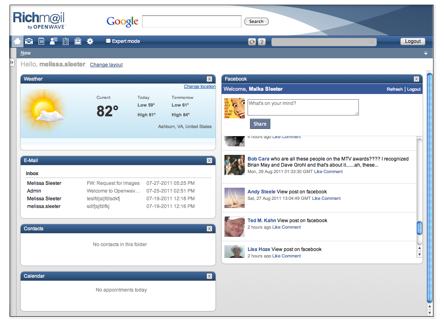
Here’s a sample usage scenario to illustrate the solution: Two friends are talking on the phone about a Facebook posting. One is looking at facebook.com; the other is looking at the Richmail Facebook widget. The friend using Richmail describes the item's location in her list, and the friend on facebook.com is able to find it quickly—e.g., "It's about 5 items down the list."